Expense Tracker Spreadsheet | Excel Google Sheets Template
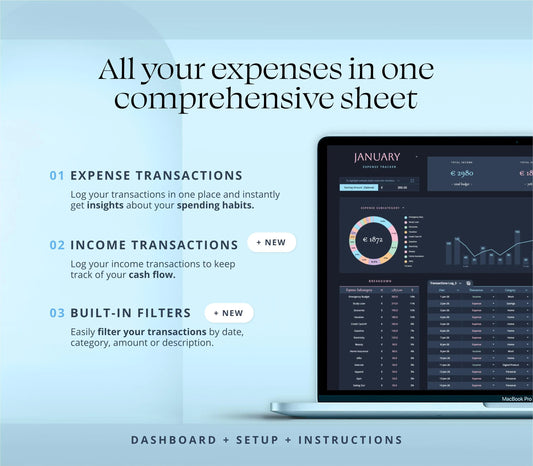
Take control of your finances with our Expense Tracker Spreadsheet, an intuitive one-tab tool designed to simplify expense tracking and budgeting.
IMPORTANT !This spreadsheet is only compatible with Google Sheets or Excel 365. It won't work with older versions of Excel or Numbers.
How it works:
Key Features: 1. Easy Setup Currency Customization: Start by selecting your preferred currency from the dropdown menu in the Setup tab. Your choice will automatically update across the entire spreadsheet. Categories Creation: Create all your Expense and Account categories effortlessly. These categories will sync and populate the dropdown menus in the transactions log for easy selection.
2. Personalize Your Tracker Custom Time Periods: Set your tracking period by simply double-clicking the Start Date cell to bring up a pop-up calendar. Select your start and end dates, and the month at the top will update automatically. Budget Input: Add an optional budget for your expenses to keep your spending in check during the selected time period.
3. Expense Tracking Made Simple Expense Date Selection: Log your expenses by selecting the date from a pop-up calendar in the Transactions Log section. Amount Input: Enter the expense amount in the designated cell.
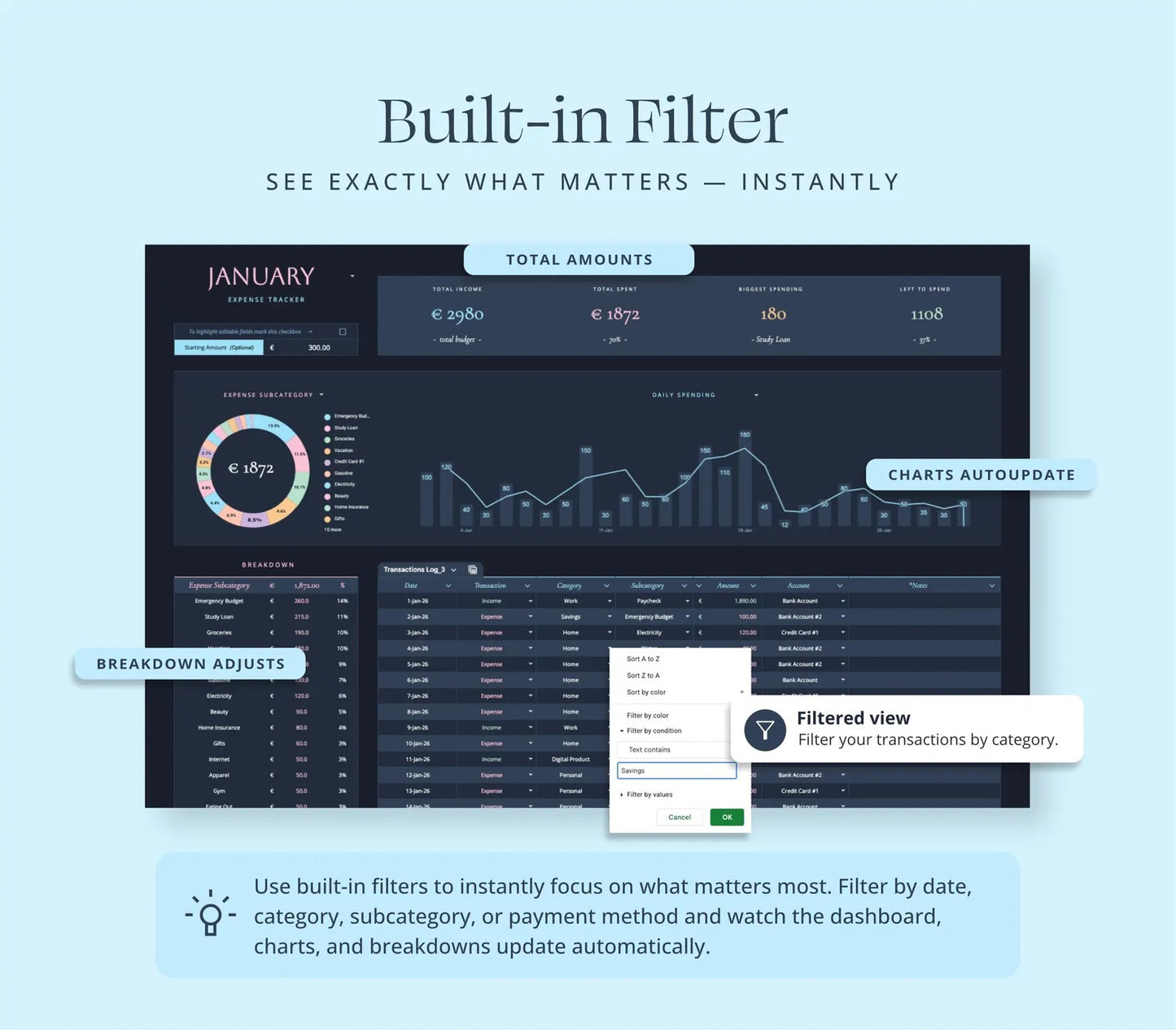
4. Filter Transactions. Data Slicer: Filter your categories or amounts to narrow down your expense summary. Amutomated Charts: The charts will adapt to the filtered data.
Category, Subcategory, and Account Selection: Choose the relevant category, subcategory, and account from dropdown menus that are instantly updated with your predefined options.
Instant Expense Breakdown: Watch the Expense Breakdown section update in real-time as you input your transactions. Easily switch between different category views using the arrow dropdown for detailed insights.
Why Choose Our Expense Tracker?
Our Ultimate Expense Tracker Spreadsheet is the perfect tool for anyone looking to streamline their financial tracking. Whether you’re managing personal expenses or overseeing a business budget, this spreadsheet provides a user-friendly and efficient solution. With six aesthetic color variations, you can personalize your tracking experience while keeping your finances organized like a pro.
“This planner has completely changed how I manage my day. Everything is laid out clearly and the automatic calculations are a game changer.”
—
⭐⭐⭐⭐⭐
– Ahmed R.
“I’ve tried many digital planners, but this spreadsheet is the first one that actually fits my workflow. I can track goals, tasks, and habits in one place.” –
—
⭐⭐⭐⭐⭐
– Emily G.
“Very well‑designed and easy to customize with my own colors and categories. Perfect for someone who wants structure but also flexibility.”
—
⭐⭐⭐⭐⭐
– Lucas M.
I was worried about setup, but everything was ready to go. The instructions were clear and I started planning my week in minutes.”
—
Premium Digital Resources for Schedules, Spreadsheets, and Google Sheets to Simplify Your Daily Workload
Choosing a selection results in a full page refresh.